Release 1.3 adds two things dealers asked for. Filters now sit inside each product category, so you can narrow results by voltage, fuel type, size, or color with a few clicks instead of a search phrase. And the quoting screen has been redesigned to support down to smaller laptop screens, with more of the quote visible at once.
Demo account — prices shown are placeholder data, not actual dealer or vendor pricing.
Filters inside every category
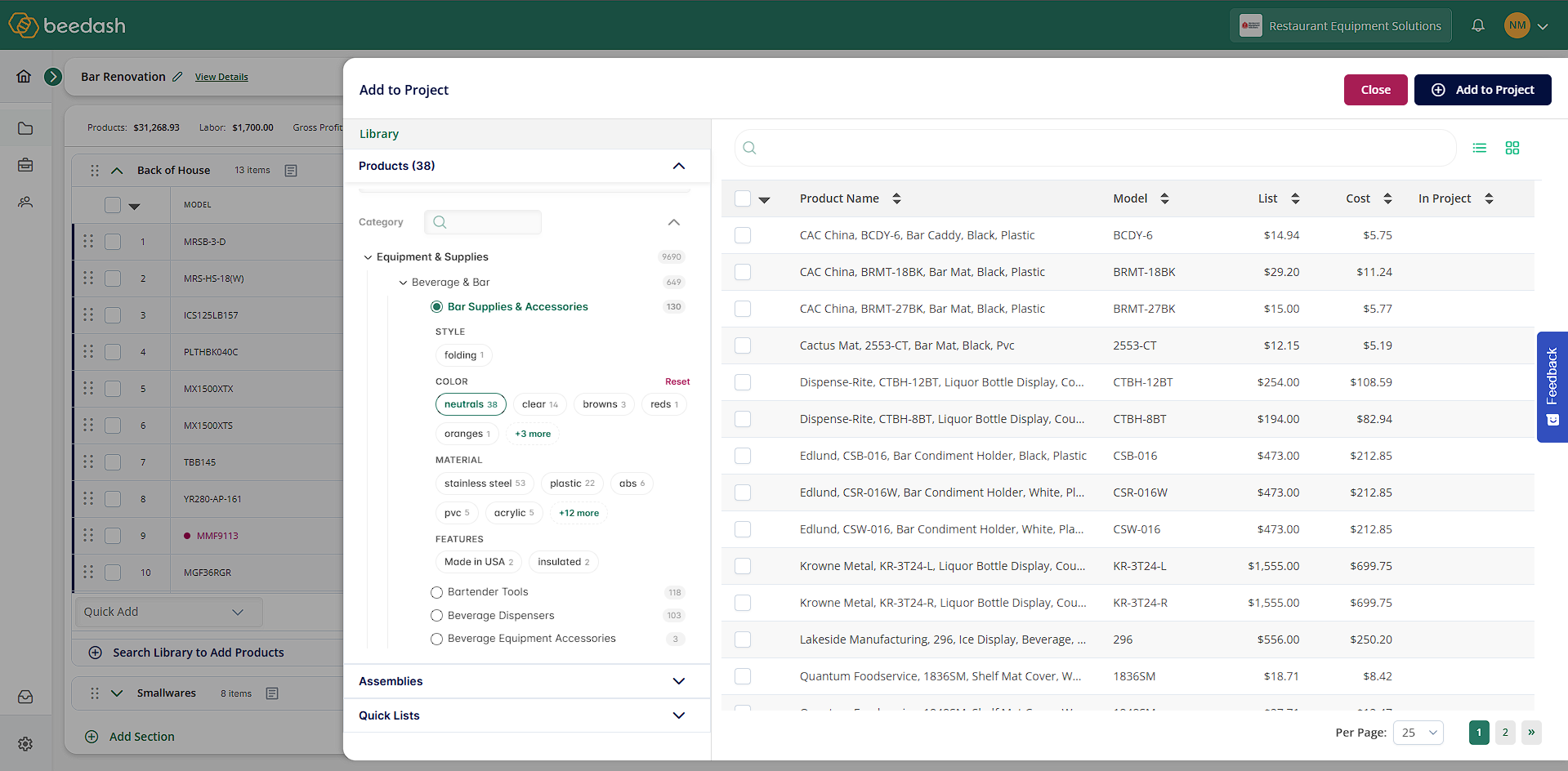
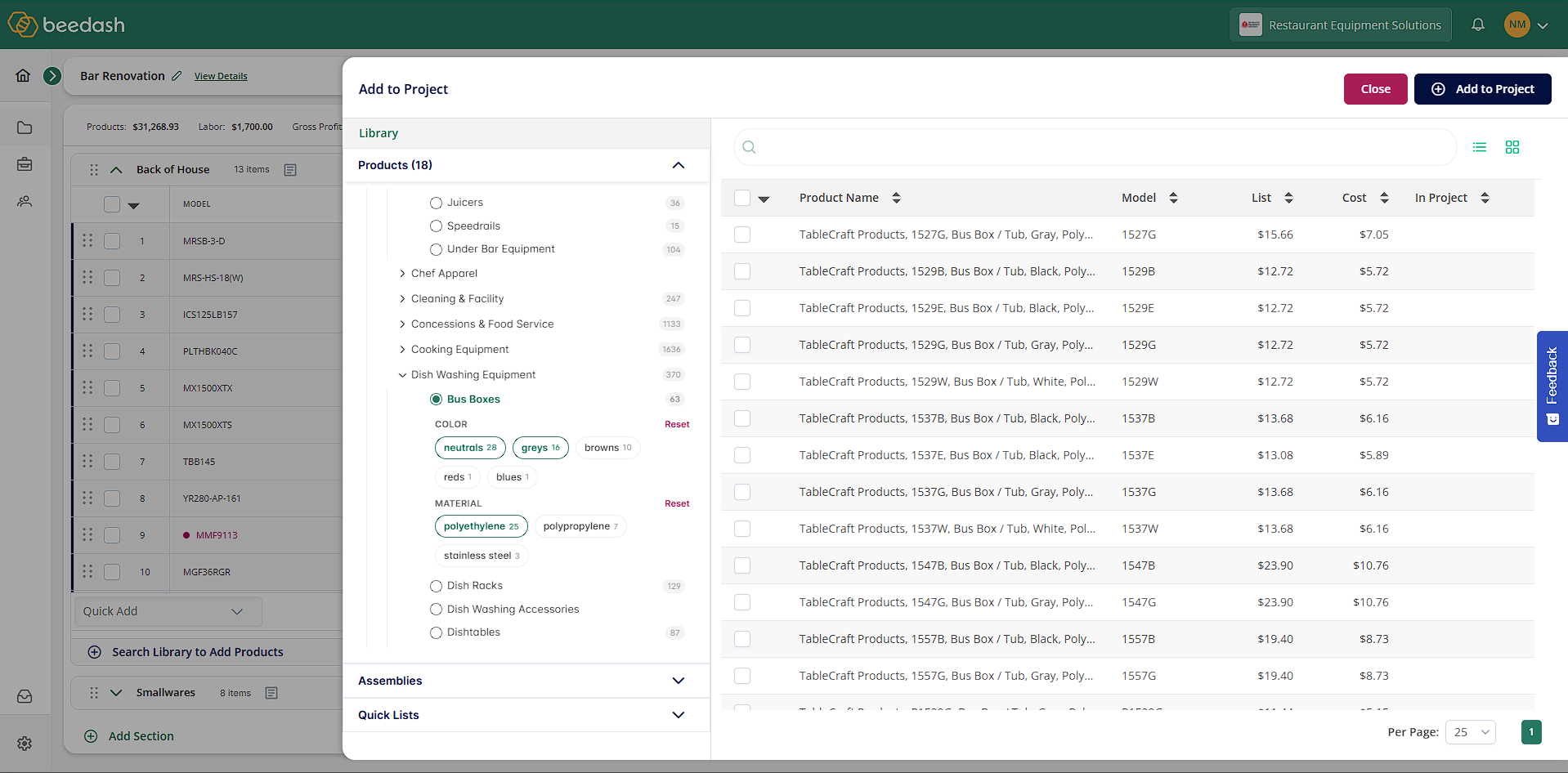
Open a category in the Search Library and refine it by the specs that matter for that category.
- Filters match the category. Reach-ins show voltage, dimensions, and finish; fryers show fuel type and capacity.
- Combine them. Select two voltages within one filter to widen results; add fuel type or size to narrow them. Results update as you click.
- Keyword search now matches product specs in addition to name, model, and SKU.
- The full spec list shows on the product card, so you can confirm a match without leaving the Search Library.
- Clear all filters in one click.
What this means for you: get to the right product with a few clicks, and see its specs before you add it.
Demo account — prices shown are placeholder data, not actual dealer or vendor pricing.
Redesigned for smaller laptop screens
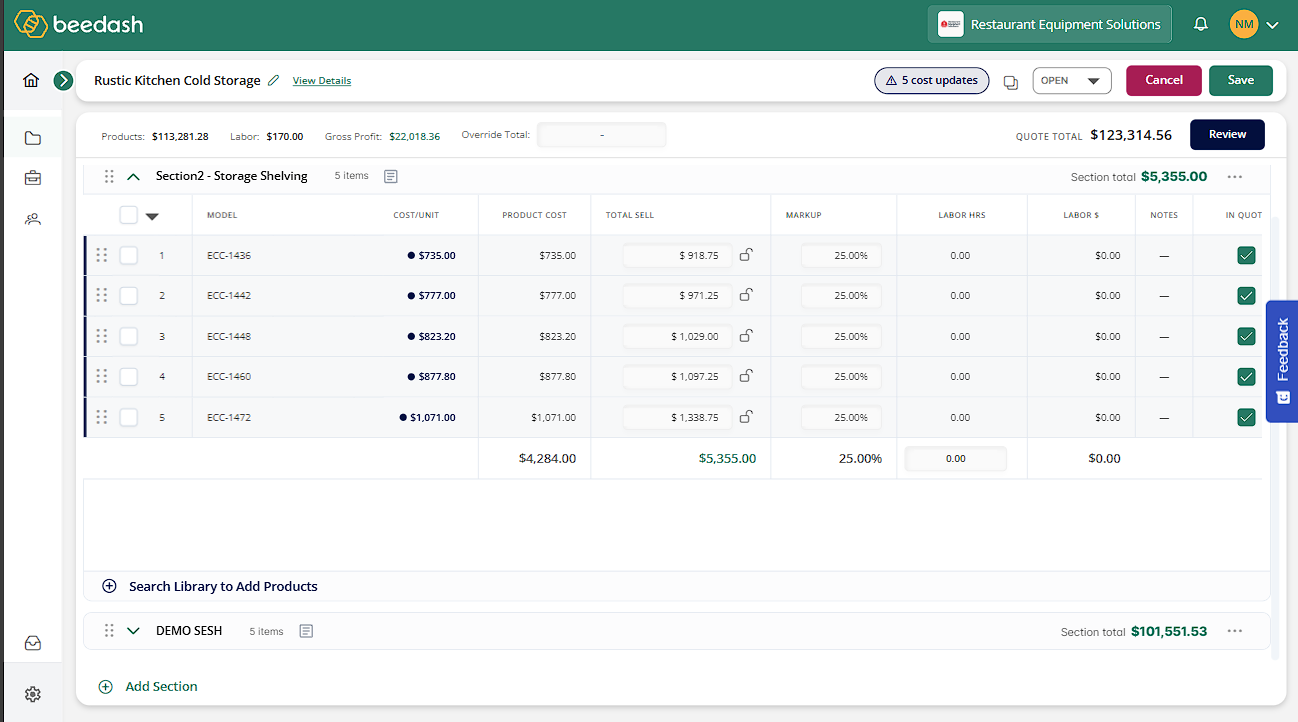
The project editor has been redesigned to support down to smaller laptop screens.
- Section totals and quick-add are pinned to the bottom of the items table, so the quote total is always in view.
- The Model column stays fixed on the left while you scroll across list, discount, cost, sell, and margin.
- The header is a single row — project name, status, Cancel, Save — and the table gets the rest of the screen.
- Bulk actions appear when you select lines and step aside when you don’t.
- Assemblies show as a rolled-up total with their components indented and editable beneath.
What this means for you: more of the quote on screen and less scrolling between a line item and the total.
Demo account — prices shown are placeholder data, not actual dealer or vendor pricing.
Have a request?
Both of these started as dealer requests. Filters are live on the categories dealers use most, with more being added. If there’s something that would make quoting faster or clearer for your team, let us know.